
Check Shopify Store Sales Online
Enter a store domain to see estimated sales, units sold, best-sellers and traffic, drawn from a 24-hour sampling window across multiple public data sources.
- sampling window
- 24h
- sampling window
- typical margin of error
- 10 to 15%
- typical margin of error
- to start
- Free
- to start
aventon.com
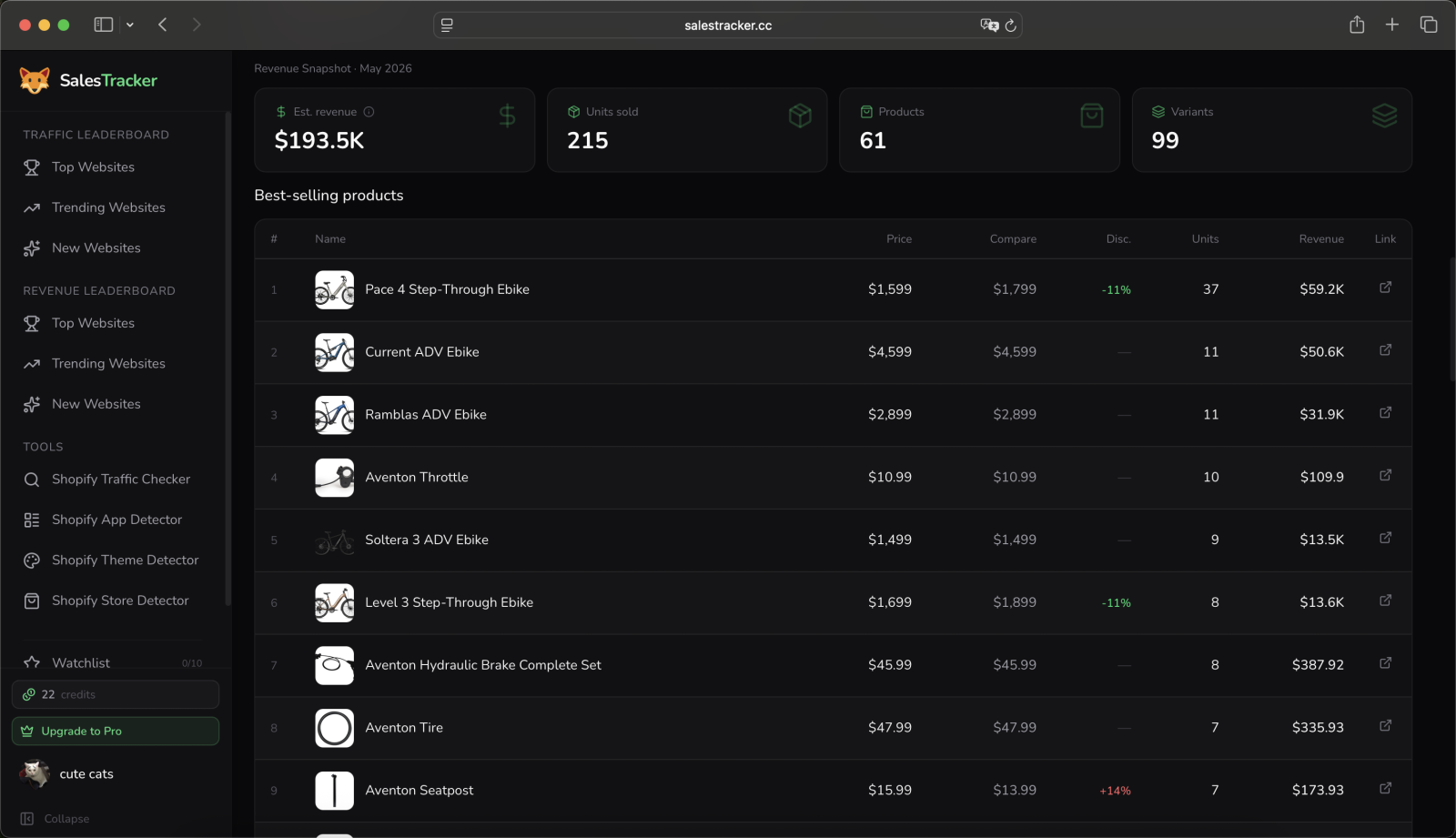
Sales snapshot, 24h sample day, May 2026
Est. revenue
$193.5K
Units sold
215
Products sold
61
Variants sold
99
Estimated monthly visits, SalesTracker traffic leaderboard, Oct 2026
See Shopify Store Sales in One Snapshot
A SalesTracker sales snapshot shows a Shopify store's estimated revenue for a 24-hour sample day, the units it sold, and which products and variants sold.
Every figure in the snapshot comes from a 24-hour sampling window, cross-referenced across multiple public data sources. Products sold and variants sold are exact counts, and revenue is an estimate with a typical margin of error of 10 to 15 percent. An hour-by-hour bar chart shows when the store sells during that day, so you can see whether its orders spread across the day or arrive in one evening rush.
The snapshot sits next to the numbers you can check for free: monthly visits, global rank, traffic sources and catalog size. Put together, they answer the question most people bring to a competitor's store. Is it really selling, how much, and which products carry it?
As of Oct 2026, the busiest store on the SalesTracker traffic leaderboard, headphonezone.in, pulled an estimated 3.51M monthly visits. Open any store on the leaderboard, or enter a domain above, to see its snapshot next to its traffic.
Check Online Store Sales in Three Steps
You check an online store's sales on SalesTracker by entering its domain, letting SalesTracker confirm it runs on Shopify, and reading the sales snapshot.
The domain is all SalesTracker needs. Paste it with or without https and with or without www, and the lookup starts from the storefront anyone can visit. You do not need the owner's permission, a login to their store, or any app installed on their side.
Before it builds anything, SalesTracker confirms the store runs on Shopify. A domain on another platform stops here with a clear message, so you never pay for a snapshot that cannot exist. Shopify stores go straight on to the snapshot.
Traffic, catalog size and the hourly sales pattern load straight away. Revealing the estimated revenue, units and best-sellers uses a few credits, once per store, and viewing that store again later is free.
Enter the domain
Paste any store address, with or without https.
ridge.comShopify confirmed
SalesTracker checks the store runs on Shopify before it builds anything.
Shopify store · RidgeRead the snapshot
Traffic and catalog load free; reveal sales with credits.
visits · sales ready
Store catalog
Free for everyoneExampleCatalog products
184
Average price
$612
Price range
Social profiles
InstagramTikTokYouTube
Count the Products in Any Shopify Store
SalesTracker counts the products a Shopify store publishes and shows its average price and price range, free, from the store's domain.
Catalog size tells you how a competitor sells before you see a single sales number. A tight catalog of a few hero products usually means a brand that lives on paid ads and repeat buyers. A catalog of thousands of products points to a store that wins on long-tail search and wide selection.
The average price and price range sit next to the count. A store selling $1,500 bikes and $10 accessories reads very differently from one where everything costs under $30, and the range shows at a glance whether the store leans on big-ticket orders or on volume.
The catalog card also lists the social profiles the store links to, so you can see where it builds its audience. All of it is free, shown on every store page, and works the same for a five-product dropshipping store as for a large brand.
Shopify Product Spy: Find a Store's Best-Sellers
SalesTracker ranks a Shopify store's best-selling products and variants by estimated units sold, so you see which products carry its sales.
The best-seller list sits inside the sales snapshot. Each row shows the product, its price, the units sold in the 24-hour sample day and the estimated revenue it brought in, ranked from the top seller down. Variants get their own list, which shows the exact size, color or bundle that moves.
The top three best-sellers show on every reveal, and Pro members see the full list. Prices sit next to compare-at prices and discounts, which tells you whether a winner sells on demand or only on a markdown.
Use it before you copy a niche. A store whose sales come from one product is fragile, and a store with ten steady sellers is a real business. For product ideas across many stores at once, dropshipping product research groups what is selling by niche.
Best-selling products · aventon.com
Example| # | Product | Price | Units | Revenue |
|---|---|---|---|---|
| 1 | Pace 4 Step-Through Ebike | $1,599 | 37 | $59.2K |
| 2 | Current ADV Ebike | $4,599 | 11 | $50.6K |
| 3 | Ramblas ADV Ebike | $2,899 | 11 | $31.9K |
Track Shopify Sales Over Time
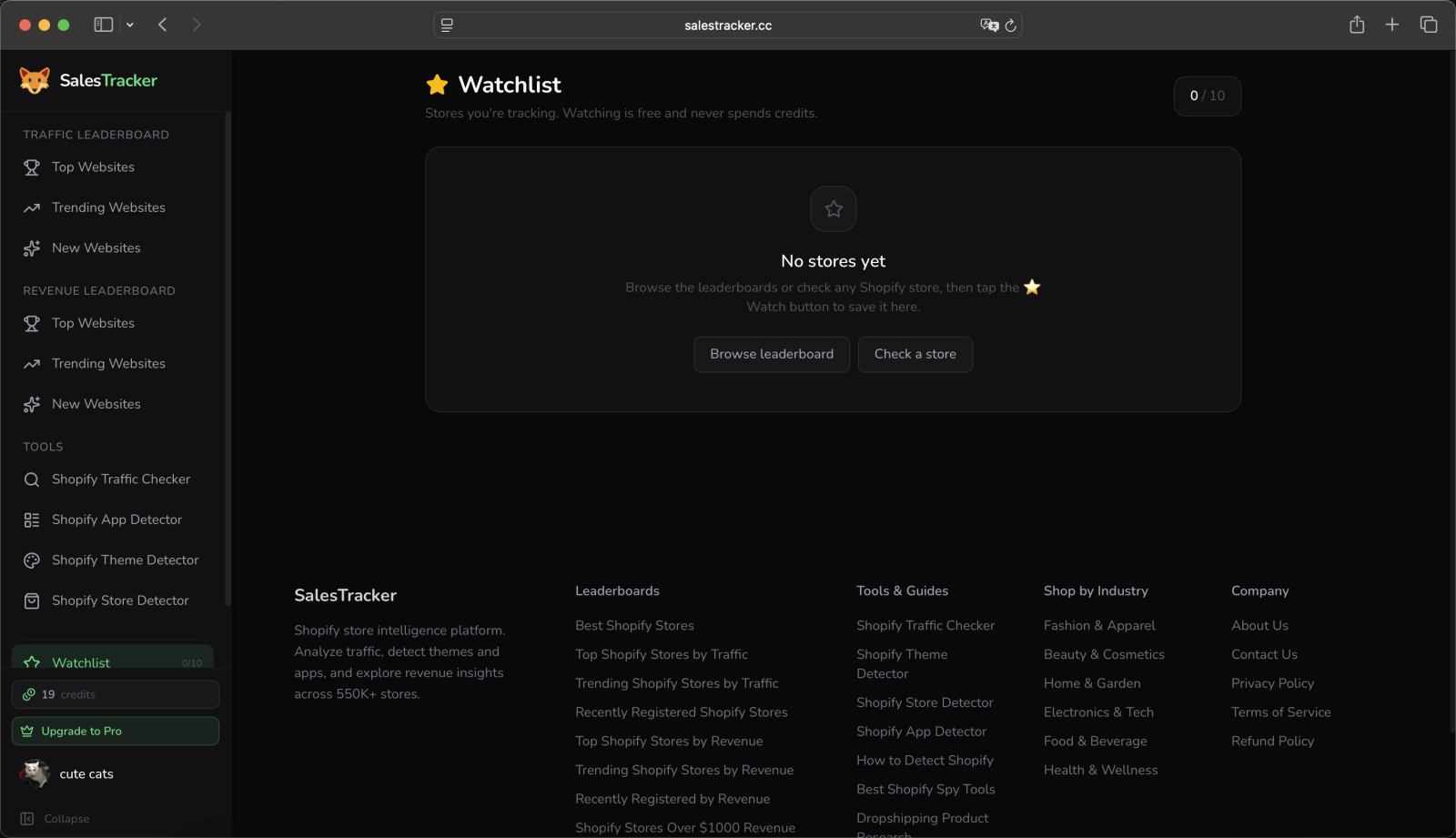
SalesTracker's watchlist keeps the Shopify stores you follow in one list, so rechecking a competitor's sales and traffic takes one click.
A single snapshot tells you where a store stands today. Checking the same store again next month tells you which way it is heading, and that is usually the more useful answer. A rival whose traffic doubled since spring is scaling, and one that halved is stalling.
Add a store to your watchlist from its page and it stays one click away, with its latest traffic and growth beside the name. The free plan holds 10 stores, and Pro holds far more for agencies and researchers who follow a whole category.
The leaderboards do the same for the whole market. Every month they rank the top, trending and newly registered Shopify stores by traffic and estimated revenue, so a store climbing fast shows up even before you think to check it.
Shopify Competitor Analysis Online
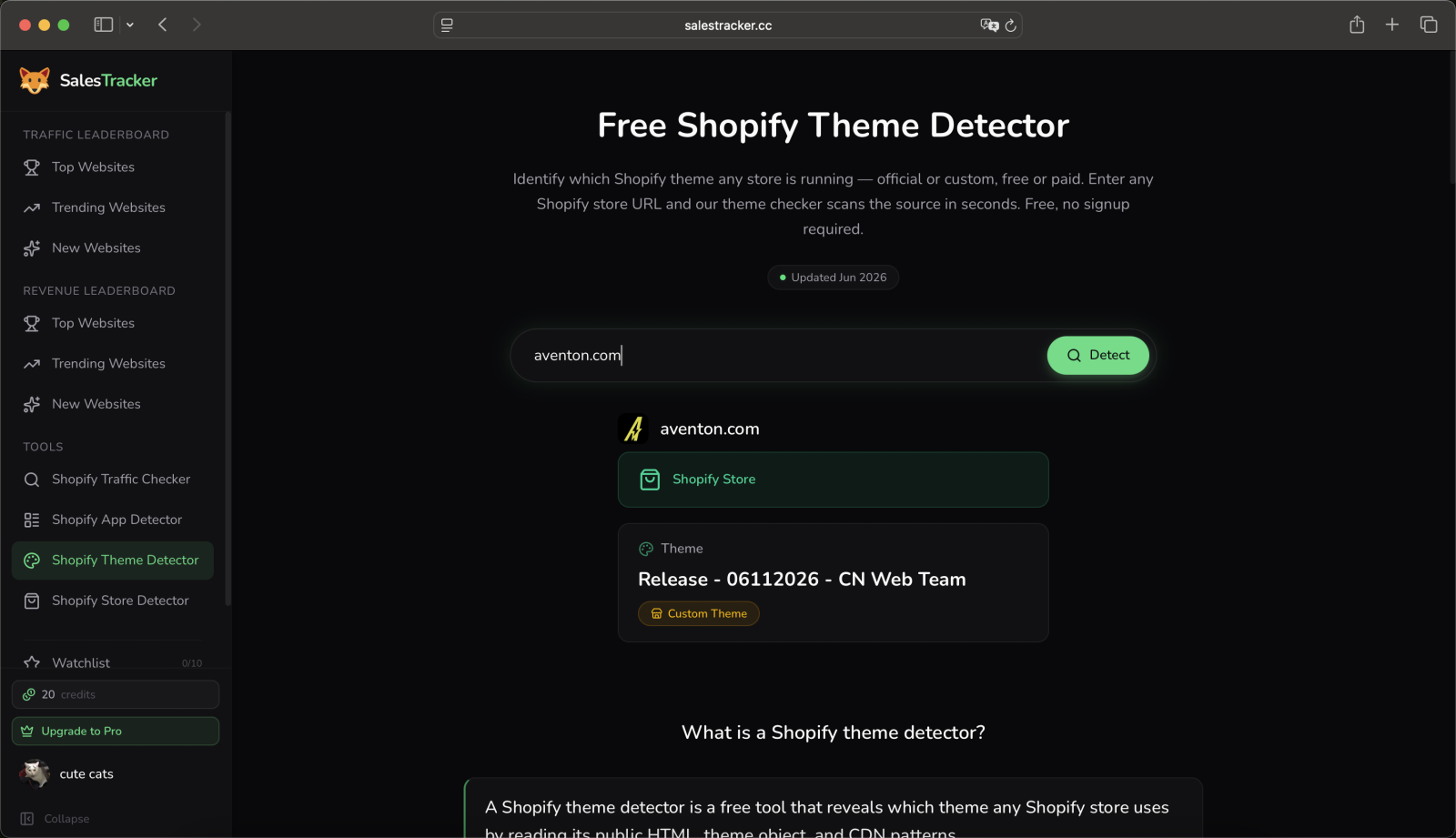
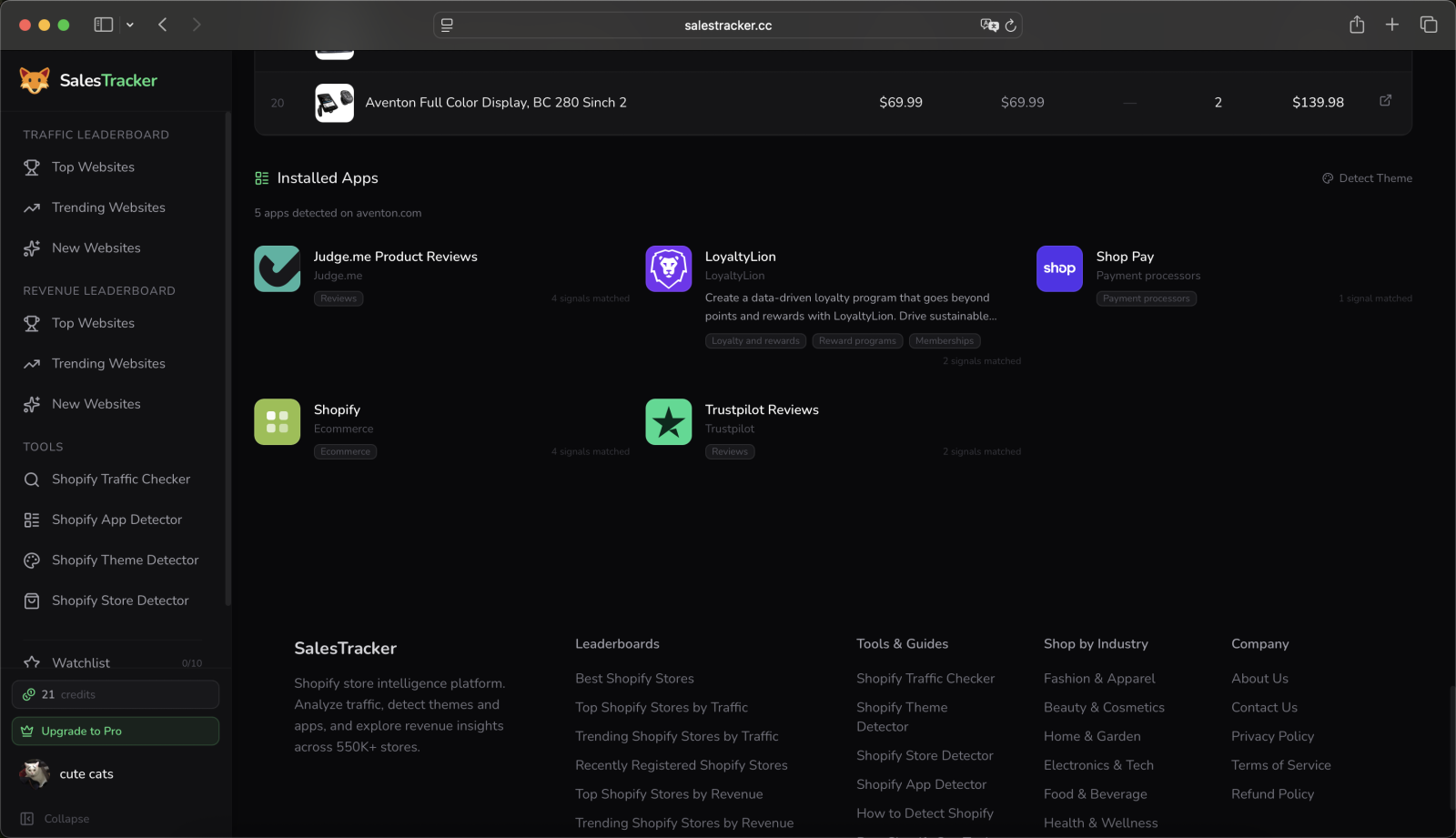
Shopify competitor analysis on SalesTracker covers four things from one domain: a rival's estimated sales, its traffic, the theme it runs and the apps it has installed.
Sales and traffic tell you how big a competitor is. The theme and the apps tell you how it got there: which storefront it built on, which review, upsell and email tools it pays for, and which parts of its stack you could match on your own store.
Each of the four answers comes from the same domain, so a full competitor check takes a few minutes instead of an afternoon across separate tools. Start with the sales snapshot on this page, then open the traffic checker, theme detector and app detector for the rest.
Run the same four checks on three or four rivals and the pattern in a niche becomes clear: the traffic it takes to reach a sales level, the apps every leader shares, and the theme most of them chose.
Estimated sales
The 24-hour sales snapshot and best-sellers.
Verify a Shopify Sales Screenshot
You verify a Shopify sales screenshot by checking whether the store's estimated sales and traffic could produce the number in the screenshot.
Sales screenshots posted in ads, courses and social threads are easy to stage. The store behind one is not. A store cannot sell 1,200 orders in a day without the visits to match, and its estimated sales and monthly traffic are public signals anyone can check.
Divide the claimed orders by a typical conversion rate of 1 to 3 percent and you get the daily visits the store would need. If its monthly traffic is a small fraction of that, or its estimated sales for a sample day sit far below the screenshot, the claim does not add up.
Enter the store's domain to run the check, and note the date of the screenshot. A real launch day or sale can spike well above a normal day, so a big gap matters most when the screenshot claims that day is typical.
Total sales · Today
$48,920.17
1,204 orders · Online Store
Doesn't add up
Its traffic and estimated sales cover a small fraction of the claim.
Website Sales Tracker for Any Shopify Store
SalesTracker is a website sales tracker for Shopify stores: you check a store from its domain on any computer or phone, and nothing touches the store you research.
There is no extension to install and no store access to request. SalesTracker runs as a website, so it works the same on Chrome, Safari, Firefox and the browser on your phone, and there are no browser permissions to grant.
The store you research sees nothing. The lookup runs on SalesTracker's side from public data, nothing appears in the merchant's admin, and your searches and watchlist stay inside your own account.
That makes it practical to check a store in the moment: while you look at a rival's ad, when a supplier pitches a winning product, or when a client asks how a competitor is doing.
- Nothing to install
- Invisible to the store
- Works on your phone
Est. revenue
$193.5K
Units sold
215
Monthly visits
1.63M
Free Online Sales Tracker: What's Free and What Uses Credits
SalesTracker is a free online sales tracker to start: traffic, catalog size and price range are open to everyone, and monthly free credits reveal sales snapshots.
Everything that describes a store's size and shape is free: monthly visits, global rank, traffic sources, catalog size, average price, price range and the hourly sales pattern. Open any store page and they load straight away.
The estimated revenue, units sold and best-sellers are revealed with credits, once per store, and stay open for you afterwards. The free plan adds monthly credits, so you can reveal snapshots without paying anything.
For heavier research, credit packs are a one-time payment and Pro adds a monthly credit refill, the full leaderboards and a larger watchlist. Pick whichever matches how many stores you check.
Free for everyone
Open any store page
- Monthly visits, global rank and traffic sources
- Catalog size, average price and price range
- Hourly sales pattern, before you reveal
- Monthly free credits on the free plan
$0to start
With credits
Reveal once per store, view again free
- Estimated revenue for the 24-hour sample day
- Units, products and variants sold
- Best-selling products and variants
- Credit packs stay valid for 12 months
$9.9credit packs from, a one-time payment
Questions About Checking Shopify Store Sales Online
Are online store sales estimates accurate?
SalesTracker's sales estimates carry a typical margin of error of 10 to 15 percent. Shopify does not publish any store's revenue, so every outside figure is an estimate. Ours comes from sales activity in a 24-hour sampling window, cross-referenced across multiple public data sources, and some fields, such as products sold and catalog size, are exact counts. The estimate is strongest for comparing stores and spotting which ones are growing.
Can you see how many sales a Shopify store has?
Yes. Enter a store's domain on SalesTracker to see an estimate of how much it sells. The sales snapshot shows estimated revenue for a 24-hour sample day, units sold, products and variants sold, and the hour-by-hour sales pattern. Stores with full data coverage also show their best-selling products. Shopify keeps exact order counts private to the merchant, which is why every outside view of a store's sales is an estimate.
Will the store owner know I checked their sales?
No. A store owner cannot see that you checked their sales on SalesTracker. The lookup runs on SalesTracker's side from public data, installs nothing on the store, and leaves nothing in the merchant's admin that points back to you. Your searches and your watchlist stay inside your own account and are never shared with the stores you research, so tracking a competitor stays entirely on your side.
Is checking Shopify store sales free?
Checking a Shopify store on SalesTracker is free to start. Traffic estimates, catalog size and price range are open to everyone, and the free plan adds monthly credits for revealing sales snapshots. Each reveal costs a few credits once per store, and viewing it again later is free. Pro adds a much larger credit balance and the full traffic and revenue leaderboards for heavier competitor research.
Which online stores can SalesTracker check?
SalesTracker checks stores built on Shopify, from small dropshipping shops to brands like Gymshark and Allbirds. Enter any domain and SalesTracker first confirms the store runs on Shopify, then builds its sales, traffic and catalog snapshot. Not sure what a store is built on? The Shopify store detector tells you in seconds, and the guide to telling whether a website is Shopify shows the signs to look for.
Why is the sales estimate based on 24 hours instead of a full month?
SalesTracker samples a store's sales over a 24-hour window because one recent day is fresher than a monthly average and compares fairly across stores. The snapshot shows that day's estimated revenue, units sold and an hour-by-hour sales pattern. Checking the same store again later shows whether it is growing or slowing, and the watchlist keeps those stores one click away when you want to recheck them.
Where can I see a Shopify store's best-selling products?
Enter the store's domain on SalesTracker and reveal its sales snapshot to see its best-selling products and variants, ranked by estimated units sold. The top three best-sellers show on every reveal, and Pro members see the full list. Stores with full data coverage carry best-seller data, and for product ideas across many stores, the dropshipping product research page groups what is selling by niche.
Can I see how much traffic a Shopify store gets?
Yes. SalesTracker's Shopify traffic checker shows a store's estimated monthly visits, global rank, bounce rate, pages per visit and traffic sources, free and without signup. Traffic is the leading public signal behind sales: a store pulling 500,000 visits a month sells far more than one pulling 20,000 at the same conversion rate. Enter a domain on this page to see traffic and sales together in one snapshot.
Is there a Chrome extension for checking Shopify store sales?
SalesTracker works in any browser with nothing to install, so it runs the same on Chrome, Safari, Firefox and your phone. Paste a store's domain into the search box and the sales snapshot loads right on the page. Because there is no extension, there are no browser permissions to grant and nothing reading the other sites you visit, which keeps your research and your browsing separate.
Does SalesTracker work for dropshipping stores?
Yes. SalesTracker checks dropshipping stores the same way as any other Shopify store, from the estimated sales snapshot to traffic and catalog size. Dropshippers often use it to see whether a rival is actually selling or only running ads at a loss. The dropshipping sales tracker and the list of top Shopify dropshipping stores are built for that audience and are good next steps from here.
Can I compare two Shopify stores' sales side by side?
Yes. SalesTracker's comparison pages put two stores side by side on traffic, estimated sales and catalog, such as Aventon vs Rad Power Bikes. For any pair of stores, open each store's snapshot and add both to your watchlist, which keeps your competitors in one list you can recheck anytime. The leaderboards then show where each store ranks against the rest of its category.
What other tools help with Shopify competitor research?
SalesTracker pairs the sales checker on this page with three companion tools. The Shopify theme detector shows which theme a store runs, the Shopify app detector lists the apps it has installed, and the Shopify traffic checker breaks down where its visitors come from. Together they cover how a competitor's store looks, what it runs on, and how much it sells, all from its domain.
Check a Shopify store's sales now
Enter a domain and see its estimated sales, best-sellers and traffic in one snapshot.